
 Español
 العربية
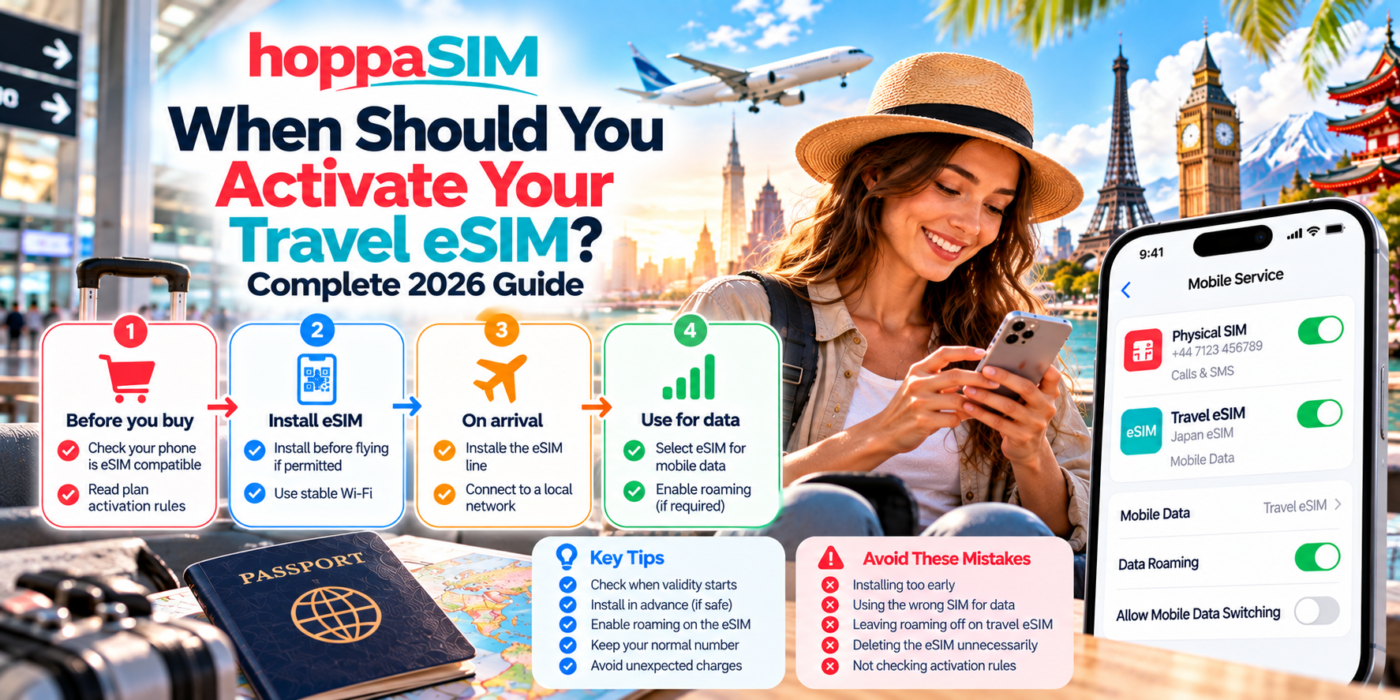
When Should You Activate Your Travel eSIM?
The best time to install and activate a travel eSIM depends on how the specific plan starts its validity period. In many cases, it is useful to install the eSIM before you fly, then let it connect when you arrive — but you should always check the plan’s activation rules first.
Install your travel eSIM before departure if the plan allows it, but only activate or connect it when appropriate for the plan. Some plans begin when installed, while others begin only when they first connect to a supported network in your destination.
Install vs Activate: What Is the Difference?
These two terms are often confused.
Installing an eSIM
This adds the eSIM profile to your phone. The line appears in your mobile settings and can be turned on or off.
Activating an eSIM
This generally means the plan becomes usable or begins its validity, depending on the provider’s activation rules.
The Ideal Travel eSIM Timeline
Confirm your phone supports eSIM and is network unlocked.
Add the eSIM while you still have reliable Wi-Fi and time to troubleshoot.
Turn on the eSIM and let it connect to a supported mobile network.
Use the eSIM as your mobile-data line and enable roaming if required.
When Does the eSIM Validity Period Start?
There is no universal rule. Different travel eSIM plans can begin at different points.
| Activation method | When validity may start | What it means for you |
|---|---|---|
| On installation | As soon as the eSIM is added to the phone | Installing too early could use part of the validity period |
| On activation | When the line is activated | You may be able to install first and activate later |
| First network connection | When the eSIM connects to a supported destination network | Often convenient for pre-trip installation |
Is It Better to Install the eSIM Before Flying?
In many cases, yes.
Installing before departure gives you several advantages:
- You have reliable Wi-Fi during setup
- You can deal with any QR-code problems before travelling
- You can check that the eSIM appears correctly in your phone
- You can label it clearly as “Travel” or “HoppaSIM”
- You are not trying to configure everything after landing
Should You Wait Until You Land?
Waiting until arrival may make sense if:
- The plan starts immediately on installation
- You want every day of validity available during the trip
- The provider specifically tells you to install after arrival
The disadvantage is that you may need airport or hotel Wi-Fi to complete setup if anything goes wrong.
Best Setup Before Departure
What Should You Do When You Land?
Once you arrive at your destination:
- Turn on the travel eSIM if it is not already enabled.
- Select it as the preferred mobile-data line.
- Enable Data Roaming on the travel eSIM if required.
- Wait for the phone to connect to a supported network.
- Test the connection by opening a website or map.
Should Data Roaming Be Turned On Before You Arrive?
Many travel eSIMs require Data Roaming to be enabled on the travel line.
You can normally prepare the setting before or after arrival, but the important point is that it is enabled on the travel eSIM, not accidentally on the home SIM if you are trying to avoid roaming charges.
What If You Activate the eSIM Too Early?
If your plan starts its validity immediately, activating too early can reduce the number of usable days during your actual trip.
For example, a 7-day plan activated two days before departure might leave only five days remaining once you arrive.
This is why checking the activation rule matters more than following a single rule such as “always install before flying”.
What If You Forget to Install the eSIM Before Flying?
You can usually install it after arrival as long as:
- Your phone supports eSIM
- You have internet access for installation
- Your QR code or activation details are available
- The plan is still valid for activation
Airport, hotel or trusted Wi-Fi can help you complete the installation.
Can You Install an eSIM Without Activating It?
Sometimes, yes.
Some plans allow you to install the profile first and only begin the service later when the eSIM connects or is activated.
Other plans may start immediately on installation.
The package instructions are the deciding factor.
Common Activation Mistakes
Installing too early
This can waste validity if the plan begins immediately.
Waiting until landing without Wi-Fi
Installation can become difficult if you have no internet access.
Turning on the wrong SIM
Your phone may continue using the home SIM for mobile data.
Deleting the profile
Some QR codes may not be reusable after deletion.
iPhone: Best Activation Approach
- Install the eSIM according to the plan instructions.
- Label the line as “Travel” or “HoppaSIM”.
- Keep your home SIM active if required.
- When ready, select the travel eSIM under Mobile Data.
- Enable Data Roaming on the travel eSIM where required.
- Review Allow Mobile Data Switching.
Android: Best Activation Approach
- Add the eSIM under SIM Manager or Network settings.
- Label the line clearly.
- Select it for mobile data when you are ready to use it.
- Enable roaming if required.
- Check automatic data switching if your phone has that option.
When Is the Best Time to Buy the eSIM?
Buying before departure is usually convenient because you can:
- Check compatibility in advance
- Compare plans properly
- Save the QR code safely
- Read the setup instructions
- Avoid relying on airport Wi-Fi to make the purchase
Buying early is different from activating early.
Frequently Asked Questions
When should I activate my travel eSIM?
Should I install my eSIM before flying?
Can I install an eSIM now and activate it later?
Does eSIM validity start when I scan the QR code?
What happens if I activate my eSIM too early?
Can I activate the eSIM after I land?
Should Data Roaming be on when I arrive?
Can I leave the eSIM switched off until my trip?
Do I need Wi-Fi to activate an eSIM?
Should I delete the eSIM after my trip?
The Bottom Line
The best time to activate a travel eSIM depends on the plan’s validity rules.
In many cases, the easiest approach is to buy the eSIM before departure, install it while you have reliable Wi-Fi and then connect it when you reach your destination.
But if the plan starts immediately on installation, wait until closer to your travel date so you do not waste any of the validity period.
Always check the exact activation instructions for your plan rather than assuming every eSIM works the same way.
Prepare your eSIM before you travel
Check your phone compatibility, choose your HoppaSIM destination plan and review the activation instructions before departure so you can connect more easily when you arrive.